
How to save your Shoppaz JA shipping address on Amazon, SHEIN & other stores
To make sure your packages arrive in the correct mailbox — and to avoid the JMD $800 Unknown Package Fee — save your Shoppaz JA U.S. shipping address correctly with your favourite online stores.
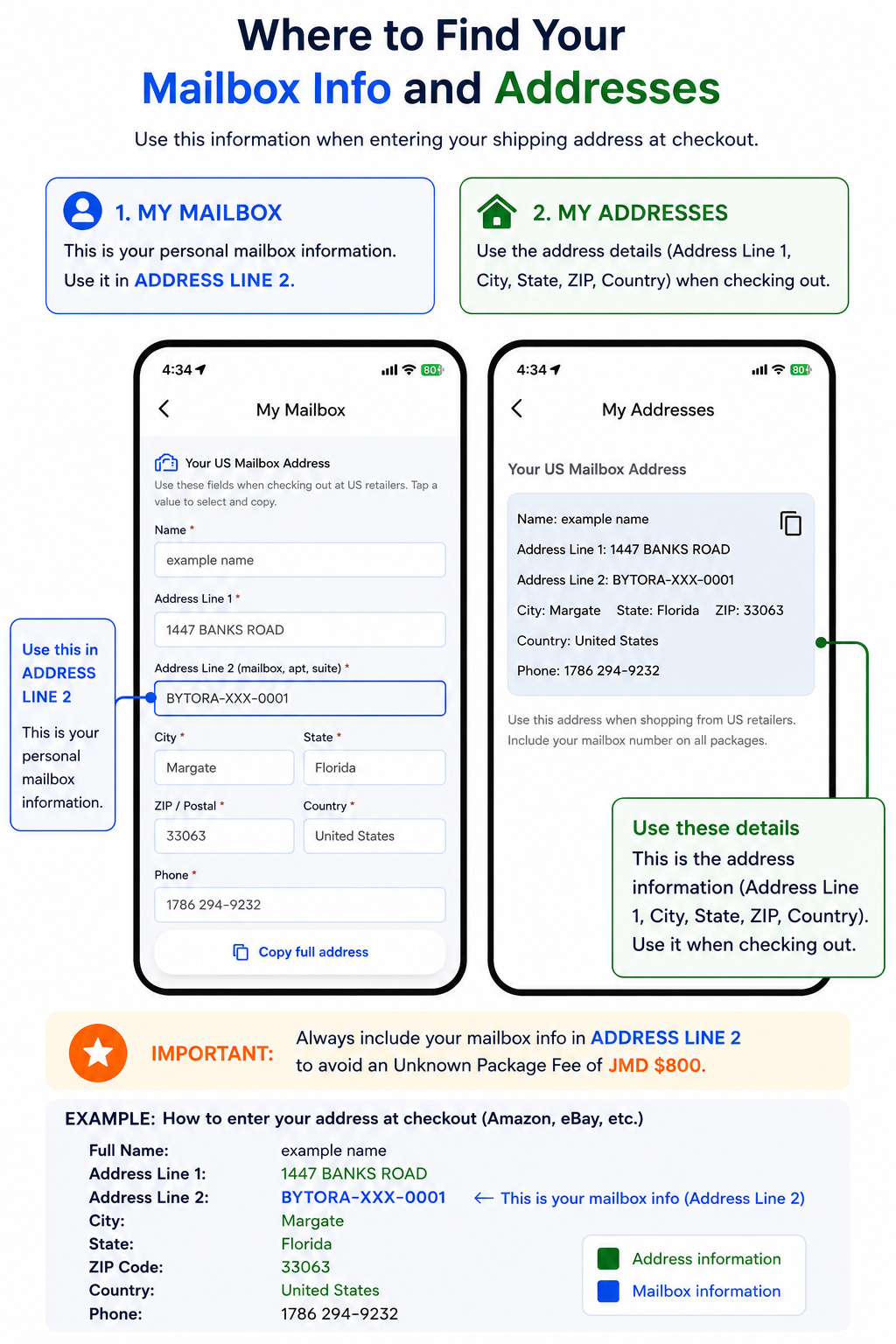
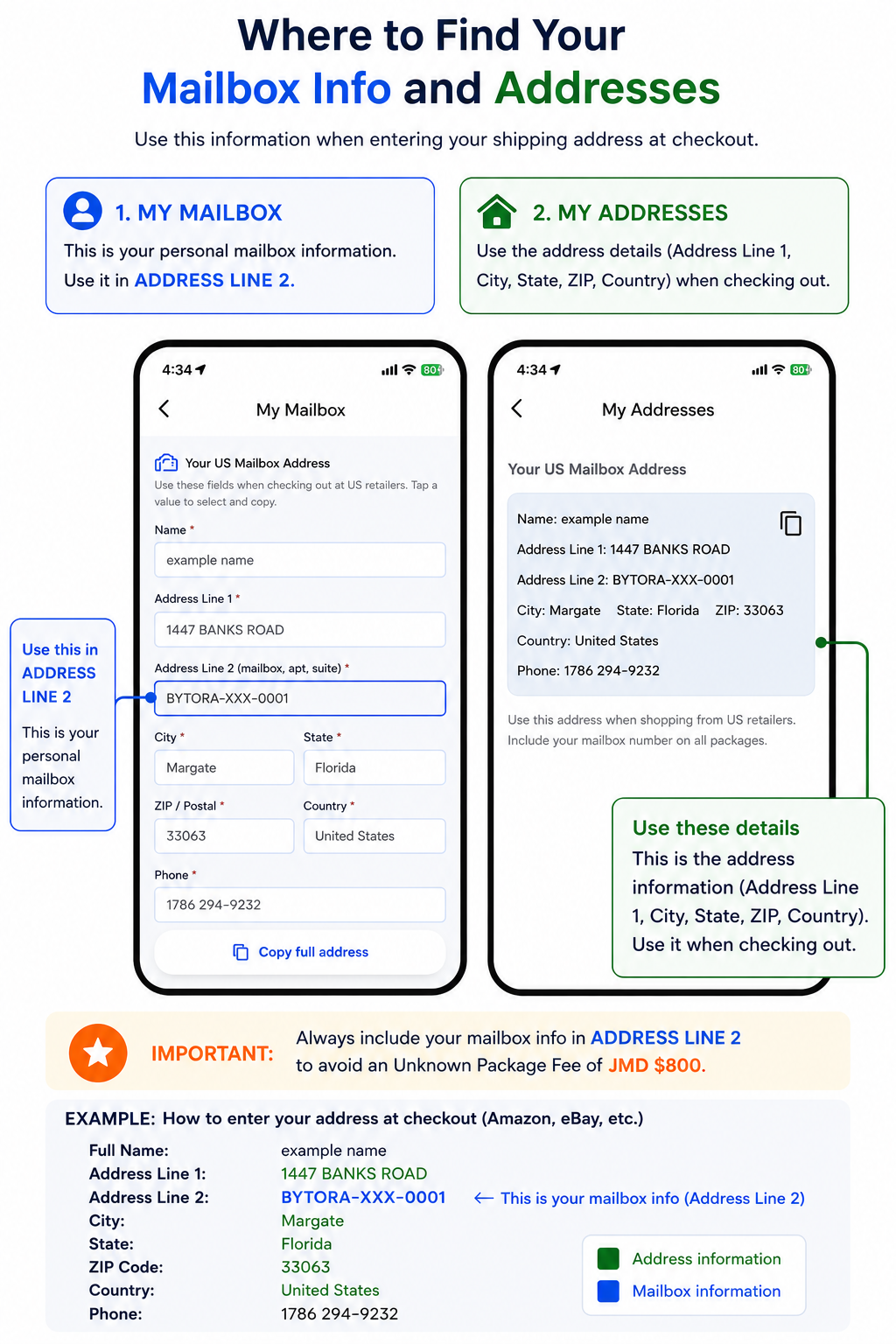
Important: Your personal mailbox number always goes in Address Line 2 (Apartment / Suite / Unit). Packages without this information may be charged the Unknown Package Fee.
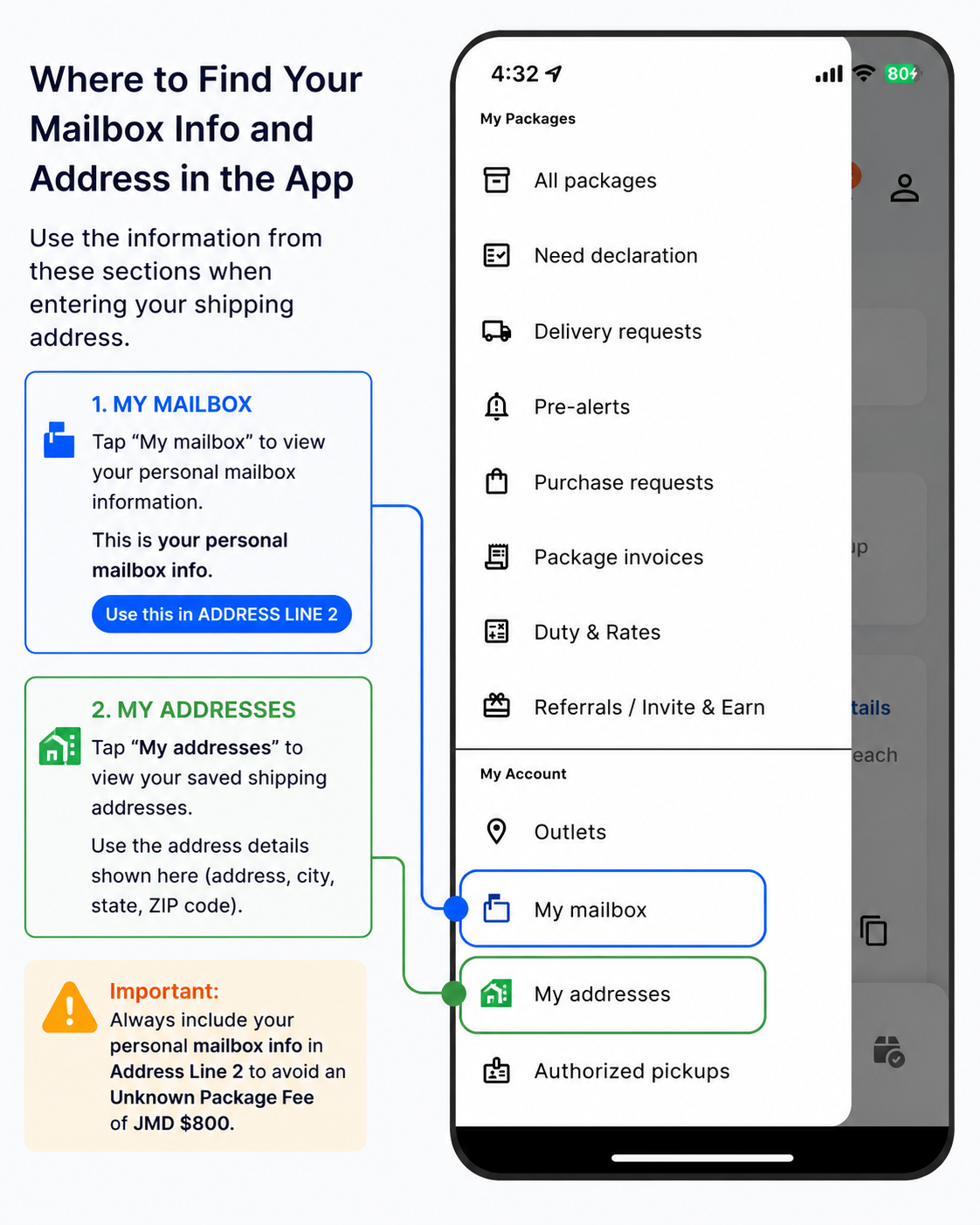
Where to find your address in the app
Open the Shoppaz JA app and go to:
- My Mailbox — your personal mailbox info (use this in Address Line 2)
- My Addresses — your full U.S. facility address (Address Line 1, city, state, ZIP, country, phone)
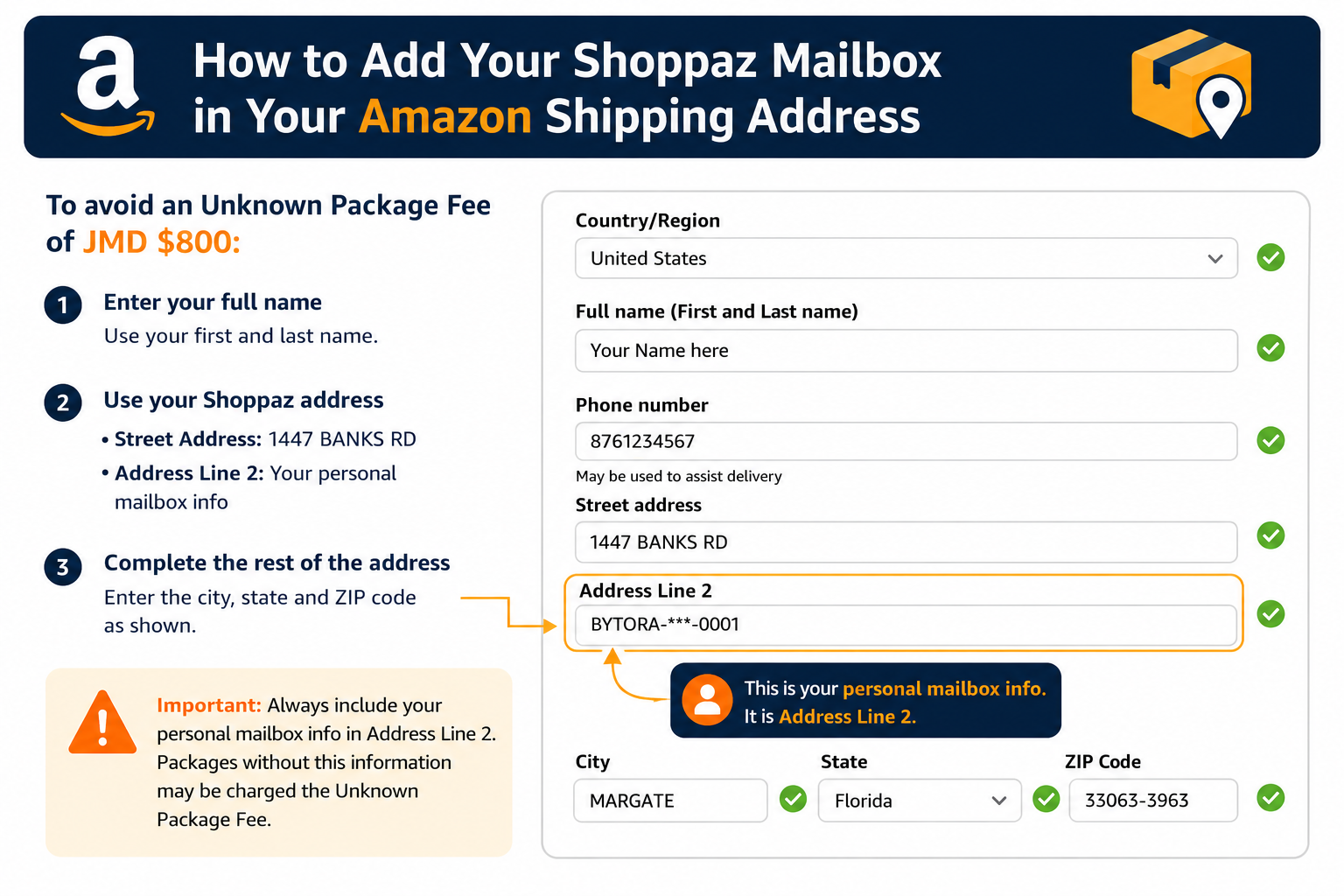
Amazon
- Go to Your Addresses.
- Add a new shipping address or edit your existing one.
- Enter your U.S. address exactly as shown in your Shoppaz JA account.
- Put your personal mailbox number in Address Line 2 (Apartment / Suite / Unit).
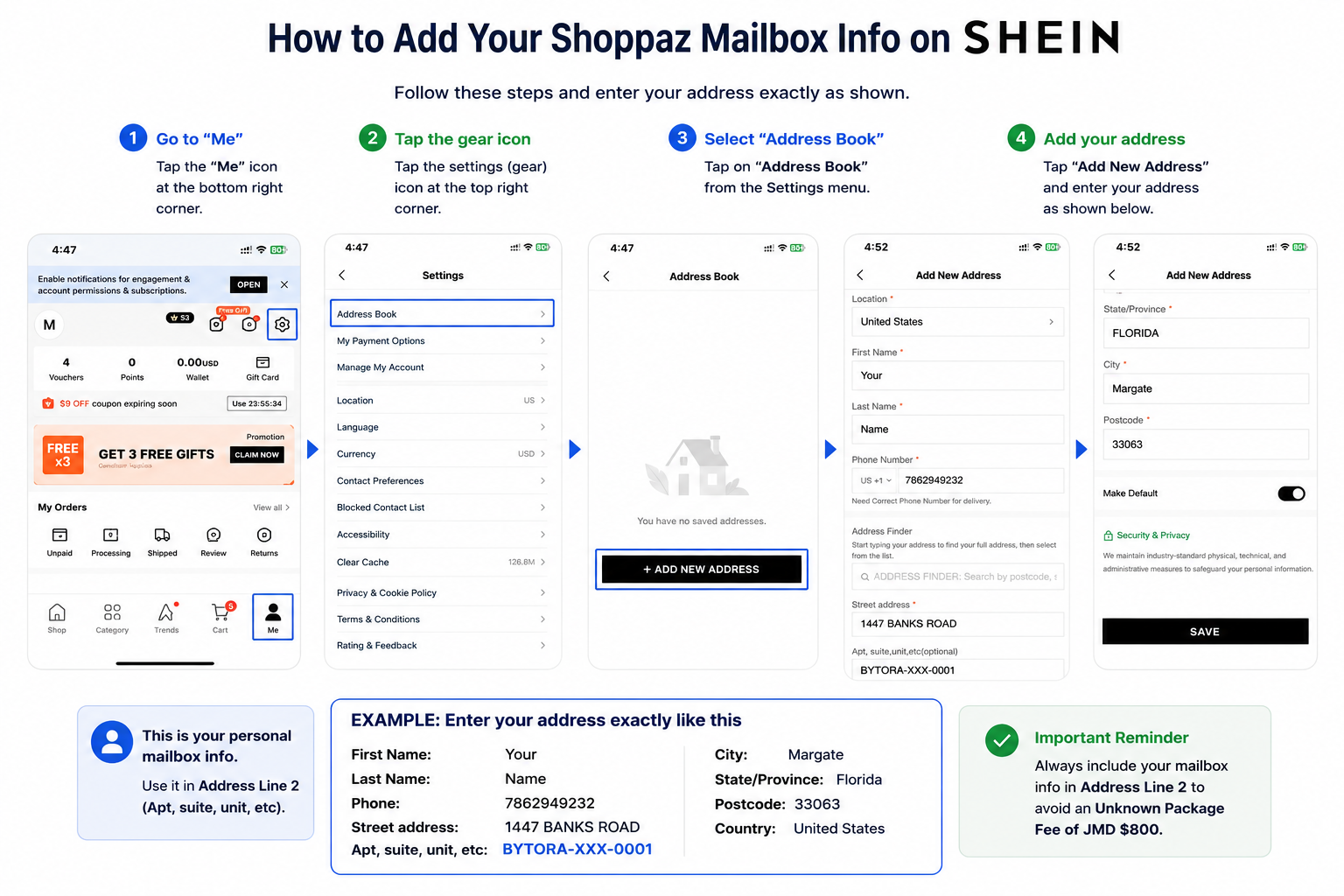
SHEIN
- Tap Me.
- Tap the Settings (gear) icon.
- Select Address Book.
- Tap Add New Address.
- Enter your U.S. address exactly as shown in your account.
- Put your personal mailbox info in the Apt / Suite / Unit field.
Once you have saved it
Select this saved address every time you check out. That keeps your packages matched to your mailbox and helps you avoid the Unknown Package Fee.
Need help? Contact us through the app or your account support options — we are happy to help.